











Support Repair My Product
Let’s get it
working again.
Not opening, closing, locking or connecting? Try the safe checks first, then prepare a clear repair request in six short steps.


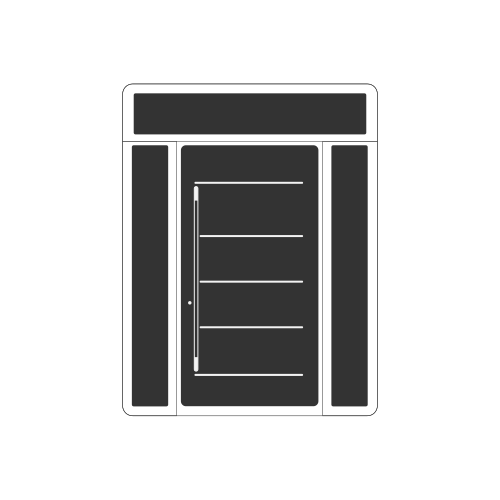
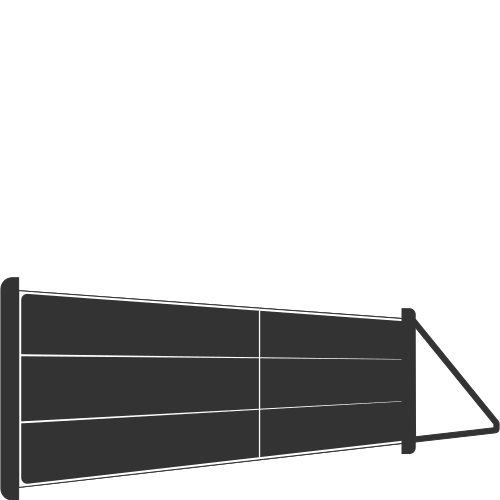
1Drive unit
No movement at all? Check the socket, the plug-in fuse and the trip switches first. Never open the casing.
Select a point · Concept visualisation
Three ways to get help
-
01
Try a quick fix
Power, batteries, sensors, tracks. A few safe checks solve more than you’d think.
Quick fixes by product -
02
Prepare a repair request
Six steps in the studio below. You review it, then send it from your own email app.
Open the studio -
03
Talk to Customer Care
Monday to Saturday 8 am to 8 pm, Sunday 10 am to 5 pm (UK time).
+44 (0) 330 818 0713
The studio
Six steps to a clear repair request.
Safe checks first. A complete request at the end, prepared on this page and sent by you. Nothing is stored, and nothing leaves this page until you press send in your email app.
The guided studio needs JavaScript. You can still email support@watford-construction.com with your order number, the product, what is wrong and a few photos, or call Customer Care on +44 (0) 330 818 0713.
Before you book a repair
Quick fixes, product by product.
The checks that most often get things moving again. Each one is safe for an owner to do, and each family ends with the line you should never cross.
- 01
Check the power
No response at all? Check the socket, the plug-in fuse and whether a trip switch has gone. Reset a tripped switch once only.
- 02
Fresh remote batteries
If the wall button works but the remote doesn’t, replace the remote’s battery before anything else.
- 03
Clear the floor line and sensors
A door that stops and reverses has often sensed something. Clear the doorway, wipe the photocell lenses with a soft dry cloth and check they face each other.
- 04
Lift the handle fully
On many entrance doors with a multipoint lock, the handle must be lifted all the way before the key will turn. Never force the key.
Safety stop. Garage door springs and cables are under high tension. Never adjust, loosen or remove them yourself. If one has broken, or the door drops when moved by hand, stop using it and keep clear.
Still not working? Start a request- 01
Check the power and isolator
An automatic gate that won’t respond at all may have lost power. Check the isolator switch is on and a trip switch hasn’t gone.
- 02
Fresh remote batteries
If one remote works and another doesn’t, the battery is the usual suspect. Replace it first.
- 03
Keep the track and path clear
Stones, leaves, snow and ice in the ground track or the swing path can stop a gate. Switch the gate off, then clear them by hand.
- 04
Wipe the photocells
Clean the sensor lenses with a soft dry cloth. Make sure nothing (a plant, a bin, a parked car) blocks the beam.
Safety stop. Switch the power off before releasing an automatic gate by hand, and follow the release steps in your owner’s guide. Keep children and pets clear of moving gates. If a post or panel leans after a storm, keep clear and don’t push it back.
Still not working? Start a request- 01
Clear tracks and drainage slots
Gently brush out the bottom of the frame and the small drainage slots, so water can escape and sliding sashes run freely.
- 02
Close fully before turning
On tilt-and-turn windows, push the sash fully closed before changing the handle position. Never force a handle.
- 03
Read the condensation
Condensation on the room side is usually humidity: ventilate. Misting between the panes is different. Photograph it and tell us.
- 04
Power for motorised blinds
Check the wall switch, the power supply and the remote’s battery before reporting a motorised blind, shutter or window actuator.
Safety stop. If glass is cracked or broken, keep people and pets clear and don’t try to remove it. Never lean out or use a ladder at height to inspect a window.
Still not working? Start a request- 01
Check the internet first
If the app can’t reach a device, check your router is on and connected. A new router or Wi-Fi password is a common cause.
- 02
Restart and update
Close and reopen the app, restart your phone, and install any app updates waiting for you.
- 03
Batteries in sensors and keypads
Battery-powered sensors, keypads and remotes stop responding when the battery runs low.
- 04
Note what changed
A power cut, a new phone, a new router? Tell us. It is often the quickest route to a fix.
Safety stop. Don’t open mains-powered controllers or drives. If a gate, door or window moves when it shouldn’t, stop using it and isolate the power if you can do so safely.
Still not working? Start a request- 01
Clear the door runners
Sweep grit, leaves and stones from the bottom runner and threshold so the door can close fully.
- 02
Check the water can drain
From the ground, check downpipes aren’t blocked and water isn’t pooling against the walls or base.
- 03
Ventilate against condensation
Warm, damp air meeting cold sheeting can leave droplets on the inside. Ventilate, and avoid storing wet items inside.
- 04
Note when the leak appears
Which wall, which weather, which wind direction. It is the most useful clue we can have.
Safety stop. Never climb onto the roof of a garage or building to inspect it. If sheeting or panels have come loose in a storm, keep clear and photograph from a distance.
Still not working? Start a request- 01
Reset a trip switch once
If lights or sockets stop working, check the consumer unit. Reset a tripped switch once. If it trips again, leave it off.
- 02
Ventilate every day
Condensation on glass and cold surfaces comes from moisture in the air. Open a window or vent for a while each day, especially in winter.
- 03
Keep tracks and gutters clear
Brush grit out of sliding door tracks, and keep drainage slots and gutters free of leaves, working from the ground.
Safety stop. Never open electrical enclosures or investigate wiring. If a trip switch keeps tripping, leave it off and call a qualified electrician.
Still not working? Start a request- 01
Observe from a safe place
Note the elevation, floor and position of the problem from inside the building or from the ground.
- 02
Record the weather
Water ingress often depends on rain and wind direction. Note when it appears and when it stops.
- 03
Tell the building manager
On commercial and shared buildings, report it to the facilities or building manager too, so safe access can be arranged.
Safety stop. Never access a façade at height. If an element is loose or damaged, cordon off the area below and keep people clear until it has been made safe.
Still not working? Start a request- 01
Find the element
Home Inclusive™ brings the entrance, garage, windows and boundary together. Tell us which element has the problem; the quick fixes for that family apply.
- 02
Clean the finish gently
Use mild soapy water and a soft cloth on coated finishes. Avoid abrasive pads and solvents.
- 03
Photograph in daylight
For a finish or colour question, photograph in daylight from a metre away, and again up close.
Safety stop. The safety stops for each element apply. Above all, never adjust garage door springs or cables, and isolate the power before touching any automation.
Still not working? Start a requestEvidence
Four shots that help us help you.
Good evidence lets our team understand the fault before anyone arrives, and helps make sure the right parts come with them.
Wide
Step back until the whole product is in the frame, with a little of the wall or ground around it.
Close
The problem itself, sharp and well lit. Use daylight where you can, and avoid flash on glass.
Label
The product label, readable. Look along the frame edge, inside the door leaf, or near the drive unit.
Video
If it moves, film one full cycle with the sound on, from a safe distance. Noises tell us a lot.

Safety
Where your check stops, ours begins.
Doors, gates and windows hold stored energy, moving weight and glass. These six lines are where an owner’s check stops and a trained technician begins.
Springs and cables
Garage door springs and cables are under high tension. Never adjust, loosen or remove them. If one has broken, stop using the door and keep clear.
Moving doors and gates
Never walk, stand or let children play under a moving garage door or in the path of an automatic gate.
Power first
Isolate the power before touching any drive, motor or control unit. Never open its casing.
Broken glass
Keep people and pets clear of cracked or broken glass. Don’t try to remove a pane yourself.
Working at height
Never climb onto roofs or up ladders to inspect a problem. Photograph it from the ground, or from inside.
Electrics
If a trip switch keeps tripping, leave it off and call a qualified electrician. Don’t investigate wiring.
If anyone is in immediate danger, call the emergency services first. Then tell us on +44 (0) 330 818 0713.
Call Customer Care
After you send
What usually happens next.
Every fault is different, so we don’t put a stopwatch on it. This is the path most requests follow.
- 01
We read it
Our support team reviews your request, your photos and your order details.
- 02
We may ask
If something is unclear, we’ll ask for another photo, a video or a quick call.
- 03
We agree a next step
Guidance you can follow, a replacement part, or a visit by a technician, whichever suits the fault.
- 04
We arrange the fix
Where a part or a visit is needed, we agree it with you first, including any cost, and arrange a time that suits you.
- 05
We check in
We aim to confirm the product is working as it should, and keep a note of what was done.
Cover and costs
Is my repair covered?
That depends on the product, how it has been used and cared for, and the terms of your order. If you’re unsure what applies, ask us before any work begins, with your order or quotation number.
Questions
A little clarity.
If it moves unpredictably, makes a new grinding or banging noise, won’t close securely, or involves broken glass, a spring or a cable, stop using it and keep clear. A cosmetic mark can usually wait for a visit, but tell us about it.
No. The studio prepares an email in your own email app. Attach your photos and video there before you press send.
That’s fine. Send your name, the installation postcode and roughly when you ordered, and we’ll find it. Online orders are listed in My account.
No. Your answers live on this page only while it is open. Close or reload it and they’re gone. Nothing reaches us until you send the email yourself.
Of course. Customer Care is on +44 (0) 330 818 0713, Monday to Saturday 8 am to 8 pm, Sunday 10 am to 5 pm (UK time). Photos still help, so we may ask you to email them afterwards.
Use the studio as normal and include your company name and order reference, or contact our corporate team through the corporate enquiry form.
More help.
- Product supportCare guides for every product family, season by season.Seasonal care · label locations · documents
- Contact supportEvery channel, with live opening hours.Call · WhatsApp · live chat · email
- Shopping supportDelivery damage, missing parts and order changes.Delivery · payments · order changes
- My accountTrack online orders and find your order number.Orders · order numbers · details
Back in working order.
Six short steps, a clear request, and our support team takes it from there.
Watford Construction · Support · Photography on this page is concept visualisation.
